Web Design / Websites
Portfolio Revamp
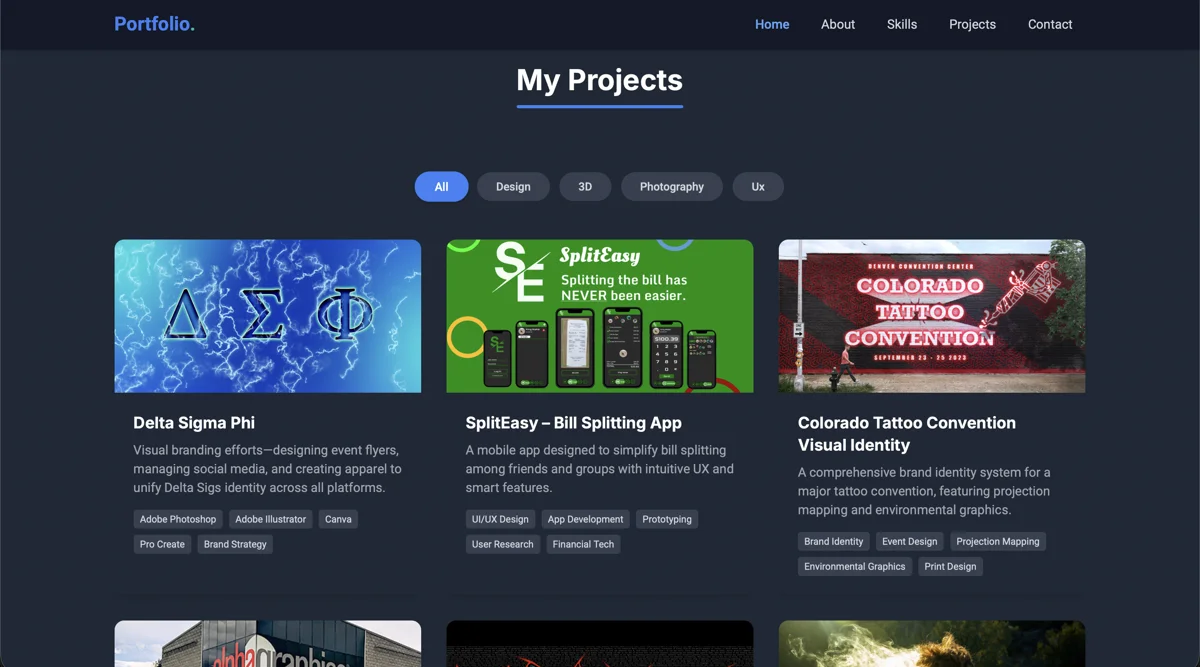
A redesign of the portfolio project pages with a flexible template system, stronger visual hierarchy, and media tagging for case-study storytelling.
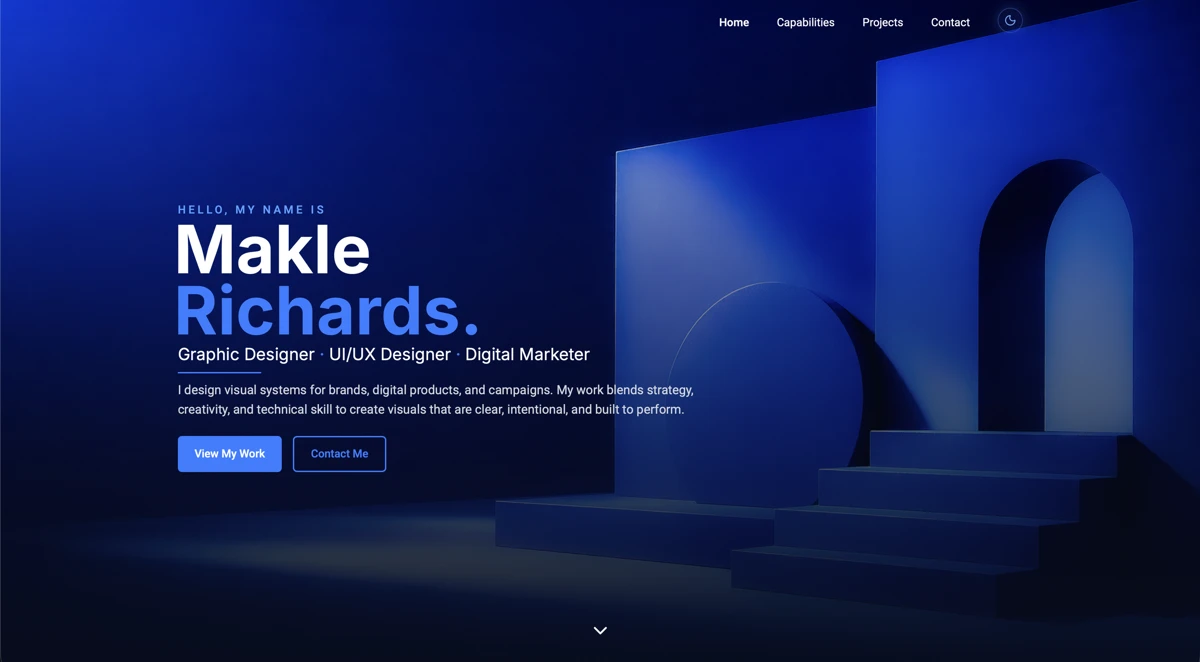
Role
UI Designer, Frontend Developer
Start Date
May 2026
End Date
Ongoing
Client
King Makle Studio
01
The Problem
The project pages were doing the work a disservice.
The old case-study template treated every project like the same flat page. Stronger work needed room for different story types, better media handling, and clearer section logic without turning every page into a one-off build.
Rigid storytelling
Every project inherited the same sections even when the work needed a different narrative shape.
Unreliable media placement
Wide covers, square archive images, gallery assets, and before/after comparisons had no shared naming or sizing system.
Underpowered presentation
The visual hierarchy did not feel as refined as the work being presented, especially in the first screen and early case-study sections.
02
The Approach
I treated the case-study template as a flexible publishing system, not a fixed layout. Each project pulls from the same structure, but only renders the sections that support the story: problem, approach, deliverables, outcome, and optional proof modules.
The goal was to create consistency and speed without sacrificing depth or narrative. Every page adapts to the project, not the other way around.
- 01
Sections opt in, not out
Each module renders only when the project has matching content. A page can be three sections or thirteen, and the template never forces filler.
- 02
Media tagging drives layout
Roles in the project.json (hero, gallery, before, after, process) decide grids, crops, and lightbox order. No manual placement per page.
- 03
Auto-derive, then override
Every editorial field has a sensible default pulled from the manifest. Explicit fields take over when the auto version isn't doing the work justice.
- 04
One template per category
Websites, Apps & Tools, Brand Design, and Studio Work each get their own narrative arc, sharing section components but ordering and emphasising differently.
Project Data
Category Template
Optional Modules
Published Case Study
A modular system that adapts to the project, not the other way around.
03
Signature Move
What makes this project distinct
Signature Move
Modules
- Visual Comparisons
- Strategy Breakdown
- UI Flow
- Custom Components
- Brand System
- Motion / Interaction
The principle
Nothing here is by accident — every detail is a decision.
Want a system this
intentional for your project?
04
The System / Deliverables
05
Outcome
The work created sharper case study presentation, flexible project templates through a focused websites system built to keep displaying projects.
Let's collaborate
Have A Project In Mind?
I help brands and businesses build strong identities, campaigns, and digital experiences that make an impact.